Free real estate calculators for your website

Give your visitors real value: embed calcimo calculators in your website, blog or agency site with a few lines of code. The calculators are free, ad-free and set no cookies. Adjust colours, font, border and corners to your design right here.

Free and ad-free

No fees, no ads and no lead form. Your visitors calculate directly on your site.

No cookies

The calculators store nothing in your visitors' browsers and calculate right in the browser. Inputs are not sent to calcimo.

Matches your design

Accent colour, background, text colour, border, corners and font are adjustable. The preview instantly shows how the calculator looks on your site.

Available calculators

Rent cost calculator

Shows total rent with annual increases and a yearly breakdown.

Customise calculator

Rent-to-purchase calculator

Estimates an affordable purchase price from rent, savings and equity.

Equity calculator

Estimates purchase costs and equity needed to buy a property.

Transfer tax calculator

Calculates the German real estate transfer tax with the current rates of all 16 federal states, including a deduction for movable items.

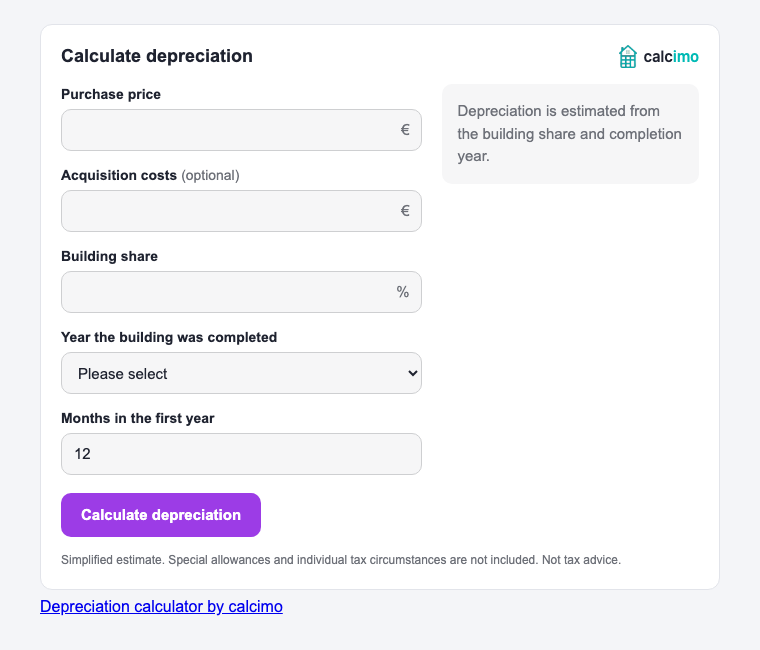
Depreciation calculator

Estimates annual and first-year depreciation for a rented property.

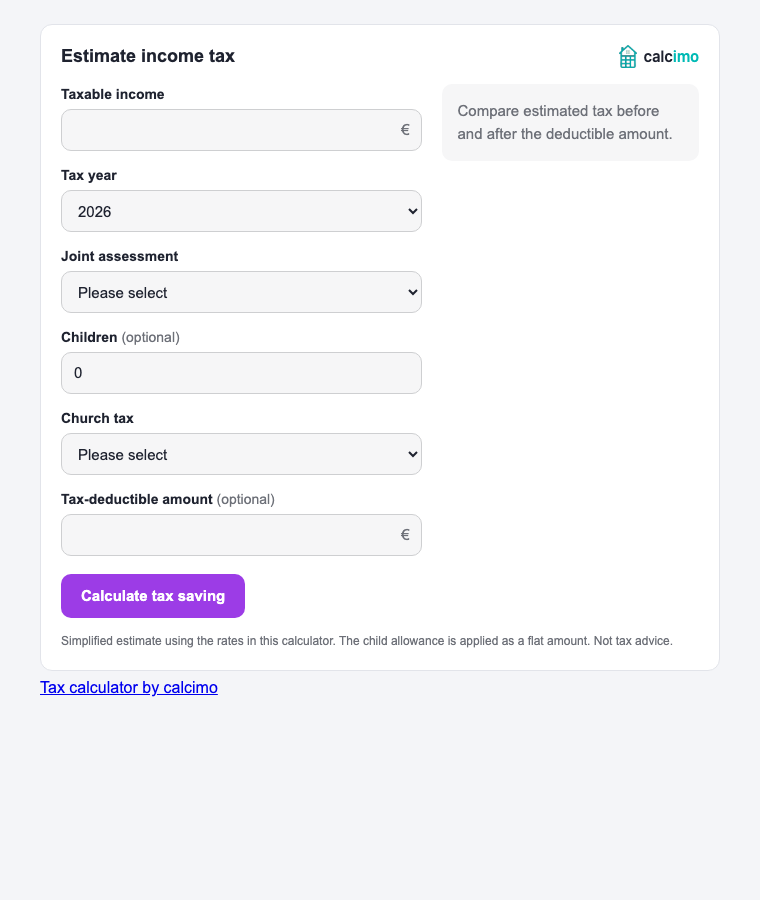
Tax calculator

Estimates income tax before and after a deductible amount.

Rent cost calculator

Customise the look

Live preview

The preview is fully usable and looks exactly like it will on your website.

Code for your website

Copy the code and paste it into the HTML of your website where the calculator should appear. Please do not place it inside an iframe.


How to embed a calculator

  1. Choose a calculator and set colours, font, border and corners to match your website.
  2. Click "Copy code".
  3. Paste the code into your page. In WordPress use the "Custom HTML" block, in Wix the "Embed HTML" element and in Jimdo the "Widget/HTML" element. On your own website paste it directly into the HTML.
  4. Save, done. The calculator adapts to the width of your page automatically.

Privacy for website owners

The calculators set no cookies, store nothing in the browser and send no inputs to calcimo. When the calculator loads, your visitors' IP address is transferred to the calcimo server, as with any external script. Mention this in your privacy policy, for example:

This website embeds a calculator from calcimo (www.calcimo.de). When you open the page, your browser loads the required script from the calcimo server, which transfers your IP address to calcimo. No cookies are set and your inputs in the calculator are not transferred. The legal basis is our legitimate interest in offering a useful tool (Art. 6(1)(f) GDPR).

Calculator not showing after you embed it?

If you only see the calcimo link after pasting the code, a security setting on your website may be blocking the calculator.

Send this message to the person who manages your website or to your website builder’s support team:

I embedded a calculator from calcimo, but it does not appear. Please check whether the Content Security Policy blocks the script from https://www.calcimo.de. If so, allow this address for external scripts. Please also check whether the logo and font load and whether the calculator’s styles are allowed. The exact settings are under “Technical settings” at https://www.calcimo.de/en/embed-calculators.
Technical settings for your website manager

If your policy already allows Google Tag Manager, the script rule can look like this:

script-src 'self' https://www.googletagmanager.com https://www.calcimo.de;

Extend the existing policy instead of replacing it. If script-src-elem is set separately, add calcimo there too.

If your policy blocks inline styles, generate a nonce for each page response, allow it in style-src or style-src-elem, and add the same value as a nonce attribute to the copied script tag. The widget uses it for its styles.

If img-src is restricted, allow https://www.calcimo.de for the logo. For the optional Poppins font, also allow it in font-src.

Frequently asked questions

What does embedding the calculators cost?

Nothing. The calcimo calculators are free, ad-free and have no lead form. In return, the link to calcimo stays below the calculator.

Do the calculators set cookies?

No. The calculators store nothing in the browser and calculate right in your visitors' browsers. No cookie banner is needed for the calculator.

Can I adapt the calculator to my design?

Yes. Accent colour, background, text colour, border, corner radius and font are adjustable. With "Same as my website" the calculator uses the font of your page.

Why can't I place the calculator inside an iframe?

The calculator is drawn directly into your page and adapts to its width. Inside an iframe this does not work reliably.

Does the calculator work on smartphones?

Yes. The calculator adapts to the available width and works with keyboard, mouse and touch.

Why does the link to calcimo have to stay in the code?

The link is the only thing asked in return for the free calculator. Without the link, the calculator is not shown.
Thanks, the code is copied

Now paste it into your website. calcimo is free and ad-free because people like you support the project. If the calculator helps you, I would be happy about a small donation.

Support the project

If calcimo helps you, support further development

Your donation helps cover hosting and development costs, enables further improvements, and keeps the project alive in the long run.

Fund hosting and ongoing infrastructure
Enable further development and new features
Keep the project alive for the long term
€

100% voluntary

Disclaimer
The information in this tool is provided without guarantee of accuracy. It is only intended as a rough guide and does not replace professional legal, tax, or financial advice. The development of the calculations was carried out without formal training in these areas and is based solely on personal research and experience.